Streamlining Bank Reconciliation with Copilot in Microsoft Dynamics 365 Business Central
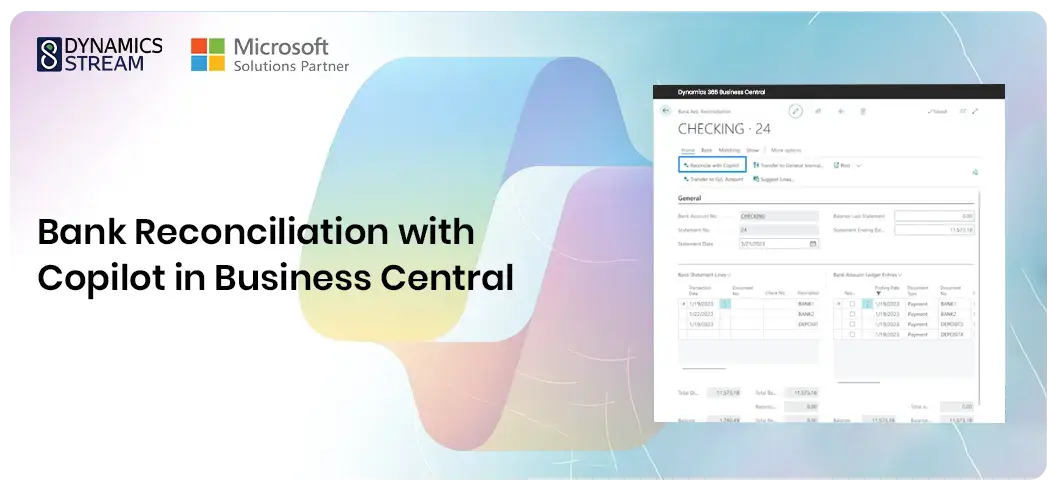
Achieving financial excellence in the business landscape necessitates embracing innovative solutions that redefine traditional practices. Bank reconciliation is a crucial aspect of financial management, ensuring records' accuracy by aligning internal data with bank statements. Microsoft Dynamics 365 Business Central takes a significant leap forward by introducing Microsoft Copilot, an advanced AI tool poised to revolutionise the bank reconciliation process.
Understanding Copilot in Business Central
A deeper understanding of Copilot is essential before exploring the enhanced bank reconciliation features. Microsoft's Copilot is an AI-powered virtual assistant that tackles various business challenges. It uses state-of-the-art machine learning and natural language processing technologies to automate mundane tasks, optimise workflows, and provide actionable insights. Seamlessly integrating with Dynamics 365 Business Central, Copilot is a robust productivity tool that empowers users to work more efficiently and effectively.

The Evolution of Copilot Features in Business Central
Microsoft has steadily integrated Copilot functionality into Dynamics 365 Business Central, introducing various AI capabilities across different business functions. Microsoft first released the copilot & AI capabilities in the 2023 release wave2 and is currently in preview mode.
From crafting captivating product descriptions to inventory forecasting and late payment prediction, Copilot enhances productivity and decision-making. The recent introduction of 'Chat with Copilot' further enhances user interaction, allowing users to execute actions and commands within Business Central using natural language.
Key Features of Copilot Bank Reconciliation
Copilot serves as a valuable ally in bank reconciliation, harnessing the power of machine learning and artificial intelligence to automate and assist users throughout the process. Its key features include:
Automated Transaction Matching
Copilot streamlines the reconciliation process by automatically employing pattern recognition to match transactions recorded in the company's books with those in the bank statements. This advanced functionality significantly reduces manual effort, ensuring greater efficiency and accuracy in financial management. As demonstrated in the 2023 Release Wave 1, Copilot seamlessly identifies and matches individual invoice ledgers with lump sum statement entries, exemplifying its ability to handle complex scenarios easily.
Transaction Suggestions
One of Copilot's standout features is its ability to suggest potential matches for unmatched transactions. By leveraging its AI capabilities, Copilot rapidly analyses transaction data and offers suggestions, accelerating the reconciliation process. These suggestions save valuable time and give users insights to make informed decisions. With Copilot's continuous learning capabilities, these suggestions become more accurate, aligning with the organisation's unique transaction patterns.
Adaptive Learning
Copilot's adaptive learning mechanism sets it apart, allowing it to evolve and improve accuracy over time by learning from user behaviour. As users interact with Copilot and reconcile transactions, the system adapts to the organisation's specific transaction patterns, enhancing its ability to provide relevant and accurate suggestions. This continuous learning process ensures that Copilot becomes increasingly efficient and effective, empowering organisations to achieve greater financial precision and operational excellence.
How to Use Copilot for Bank Reconciliation
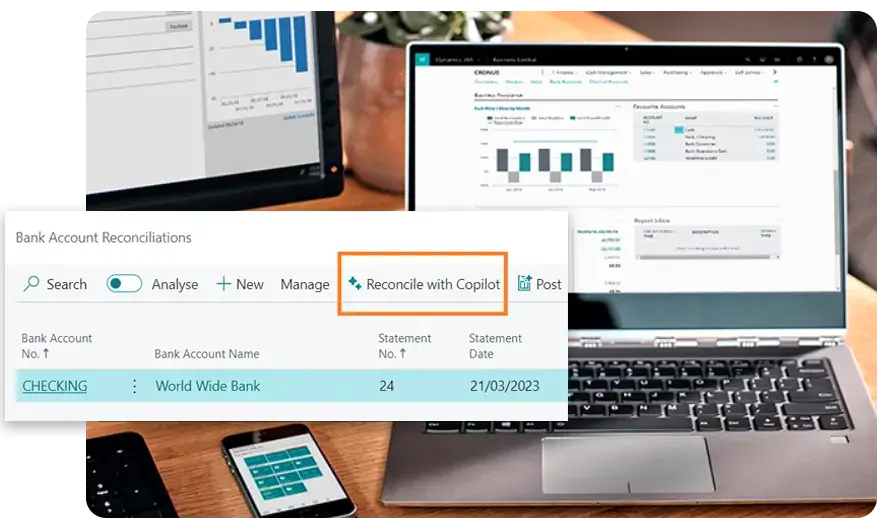
- - Navigate to the Bank Account Reconciliation page in Dynamics 365 Business Central.
- - Ensure that Copilot is enabled for the specific bank account.
- - Copilot automatically suggests matches for unmatched transactions. Review and confirm matches to update the reconciliation status.
- - Address any exceptions and discrepancies that Copilot may have missed.
- - Once the reconciliation is complete, finalise the process and generate reconciliation reports for record-keeping purposes.
Choosing the Right ERP Solution for Your Business
While Copilot significantly streamlines the bank reconciliation process, some considerations must be remembered. Copilot matches may not always be accurate, requiring human review before acceptance. Additionally, account selection limitations may exist when transferring transactions to the general ledger, which could impact the accuracy of financial reporting.
As your business aims for financial precision and operational excellence, integrating Copilot for bank reconciliation in Business Central emerges as a strategic move. With Dynamics Stream, a trusted Business Central Implementation partner in the UK, your business can seamlessly unlock Copilot's full potential, propelling them towards financial alignment and optimising routine financial tasks.
Share with
Blogs and Resources

Blogs
With the emergence of generative AI, the landscape of retail automation is undergoing a profound transformation, promising unprecedented levels of optimisation.

Case Study
Tiryaki Agro, a renowned global agricultural products supply chain company, has been a leading provider of healthy, reliable, and sustainable agricultural products since its inception.

Whitepapers
The landscape of modern business is evolving at an unprecedented pace, driven by technological advancements and the ever-growing demand for efficiency and innovation.